Sign up for One-Stop Solutions

Happy Dragon Boat Festival

During the Dragon Boat Festival holiday, we had a three-day holiday, and the company issued gifts for the Dragon Boat Festival. The Dragon Boat Festival was to commemorate Qu Yuan. On this day, we all ate zongzi. It is said that Qu Yuan committed suicide by throwing himself into the river, so people commemorate Qu Yuan. Wrap glutinous rice with zong leaves. You can put some meat, dates, or other food in the glutinous rice, and wrap them together to form zongzi. Of course, other activities such as dragon boat races are also held on this day to see whose boat reaches the end first. This won the game. This is the origin of the Dragon Boat Festival.

Continue Reading

Normal Questions for the inks choose

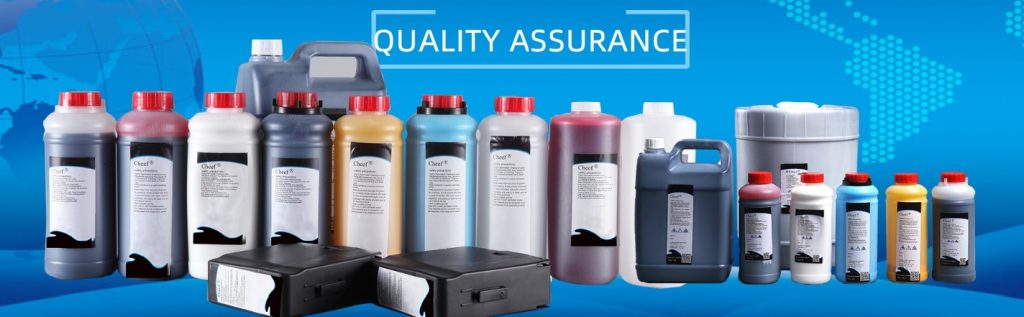
Q1:What are your main products of ink? A:Cheef ink manufactures a full line of high quality, low-cost alternative inks, makeup, and cleaners for Continuous Ink Jet (CIJ), Drop on Demand (DOD), and High-Resolution industrial printers and coders. Innovative technology is the core of our business, and our inks are trusted alternatives to products from many OEMs including Videojet, Domino, Imaje, Marsh, Citronix, Linx,Metronic, Rottweil,and more. Q2:Which products your ink can be used? A:Cheef ink can be used on metal, glass, PVC, other plastics, and laminated paper with pigmented inks for use on darker substrates and is available in white, gray, silver, and light blue, and so on.   Q3:Which industry of your ink used? A:Cheef inks are used in a wide variety of industries for many different applications, including automotive, food, beverage, electronic, consumer products, wire cable, pharmaceutical Industries, and so on. Q4:Is your ink compatible? A: Yes,cheef ink can develop the inks for use in your current coding and marking equipment. Whether the ink you’ve been using is out of stock, been discontinued, too costly, or underperforming, we can replicate and improve upon OEM manufactured ink. The most important is these inks are guaranteed compatible with your equipment. Just change out the ink, possibly run a flush, and you’re ready to go.   Q5:How is your ink quality? A: All of our inks are developed in our on-site lab which enables us to design and manufacture inks and fluids for the most difficult applications. We use only the highest


Continue Reading

How to handle Domino A120 inkjet printer viscosometer failure?

For general problems, for example, the viscometer has no value. It may be necessary to check whether the viscometer valve or the viscometer pipe, or the glass pipe in the viscometer is unblocked. If the viscosity value of the viscometer does not come out, generally, you should see whether the viscosity exceeds the standard. If it exceeds 255, it will not display. If it is lower than 40, it will not display whether the viscosity is low or high. First, see if the ink viscosity is too thin or too thick. Why is it too thick? Is the solvent not added? Is there a problem with the solvent valve? These should be taken into account. Because it is rarely caused by viscosity. Generally, it is put for a long time. It is relatively dry and sticks to the beads. At this time, poke the beads. Generally, this problem will be solved. The pipe rarely sticks because it is so thick:   Unless you don’t use it for months, and then it is dried out, and there is always ink residue in the glass tube, the beads will not be detected. If the ink path is sealed and not dry, this problem is not easy to occur.   For A120 and A220 machines, viscosity fault is the most common fault. For example, the valve is stuck, or the ink of the glass tube sticks to the steel ball, or the pipe is blocked, or the ink supply or which way is

Continue Reading

What do IMAJE 9040 inkjet printers need to pay attention to when replacing the print head solenoid valve?

If this solenoid valve on the spray head breaks down and needs to be replaced, this is the end of the solenoid valve:   This is the head of the solenoid valve:   Whether it is in the line solenoid valve, or print head solenoid valve, are the same, all solenoid valves can be used universally.   When we remove from below, we must first inject a little cleaning fluid, solenoid head and buttocks must first inject a little cleaning liquid, and then we first use a word screwdriver, from the back of the buttocks a little pry over a little bit:   Then, pry the front also a little bit:   Be sure to pry like this, if you pry only one end, this mouth is easy to break. If the new solenoid valve is better, but if it has been used for some time, this place is very fragile, that is, it has been corroded, easy to crack: Its solenoid valve is plastic, if it cracks, it can no longer be used.   There is also the solenoid valve of these lines do not connect wrong, before replacing the solenoid valve, it is best to take a picture, that is to say, the original line is how to connect, how to connect when replacing:   The solenoid valves on the pipeline are two wires:   The solenoid valve on the spray head has three wires, three lines are colored, before removing it is recommended to take a picture,

Continue Reading

How to unblock the straw of the print head of the IMAJE 9040 inkjet printer?

After unblocking the ink supply, cleaning and recycling tubes, the pipe in the front part of the nozzle is cleared, and then we unblock the straws: There are two valves on the side of the straw, one is the cleaning valve, the other is the ink supply valve. There are straw on the back or in the front of it. We should make sure that the straw is open. If it is not smooth, we also need to remove the two pipes behind the solenoid valve.   Before dismantling, we can dismantle the solenoid valve. Before dismantling the solenoid valve, we must spray some cleaning fluid, and then pry it up:   Then pry up another solenoid valve:   After prying up all the solenoid valves, we can test whether the pipe is unblocked.   It’s the same. Use the ear ball to suck some detergent, then insert it into one end of the cleaning tube, and then blow hard: Then, cleaning fluid will come out at the rear end of the solenoid valve, which means that the straw is unblocked:   Then insert it into one end of the ink supply pipe, and the cleaning solution will come out after blowing, indicating that the suction pipe is also unobstructed:   Then let’s see if the two pipes at the front end of the solenoid valve, all the way to the nozzle, are unblocked. We can clamp these two straws with pointed nose pliers and pull them out. Pull out

Continue Reading

How to deal with IMAJE 9040 inkjet printer without injection speed or ink point split is not good?

If there is no flight time or no jet speed or a bad point split, we can use a magnifying glass to see how the dot split:   If the ink dot splits badly, we’ll adjust the hole on the left:   Our correct adjustment should be: we use a hexagonal screwdriver, then spin to the far left, then let it not split, all into a line, and then we slowly use the hexagonal screwdriver to rotate:   Then look here with a magnifying glass:   When you see that there are three or four very round dots below, and there are no small dots between the points and points, there are four dots, the above point is not very round, but it will have an upward small tail, generally tuned so on.   If there is still no injection speed, if the point splits very well, but there is no injection speed, then check the pipe ground line, the pipe ground line may not be connected, or the entire ground line of the machine is not connected. If the ground line is also connected, point split is also good, we look at viscosity, if viscosity is also normal, then we consider the motherboard problem, the motherboard may have a problem, we finally consider the motherboard.   First of all, we look at whether the viscosity is normal, viscosity is normal, whether the ground line is connected, if the ground line is connected, see how the point split, if the

Continue Reading

How to deal with the poor printing effect, not printing with photoelectric induction of Citronix ci1000 inkjet printer?

The poor printing effect is that we print a line of words, only half printed out, or two lines of words, only printed out a line, and then we open the nozzle cover, we see the recycling tank here will hang ink:   Then we wash the recycling bin here, and then turn on and then print, it can print for a while, and then print, print for a period of time, it will accumulate ink here, printing effect is not good:   In this case, we have to check whether the ink line position is correct, if the ink line position is correct, viscosity is normal, ink point split is also very good, but still hanging ink, that means the charging is not good, we can adjust the charging value:   If the charging value is not adjusted well, it can only maintain the machine, perhaps the ink has deteriorated, and then to maintain the machine.   We use photoelectric induction but it does not print, first we look at whether this high pressure is open, that is to say, whether the head cover is covered, the nozzle cover is well, here is a lightning sign, indicating that the head cover is covered, and then the high pressure has started: If the lightning sign is not displayed in this box, it is normal for the machine not to print, and we need to check that the nozzle cover is covered.   If we print here, it can print: That

Continue Reading

How to deal with charging and high-voltage faults of Citronix ci1000 inkjet printers?

Then we look at the charging fault, we first need to look at the parameters, that is, whether the viscosity is right, whether OK is displayed: Viscosity cannot be too low or too high, and if viscosity is not right, we should adjust the viscosity. If the ink viscosity is very thin, I do not need to tube it, let it automatically run, run for a day or so, may viscosity becomes higher, if you want viscosity to rise faster, directly to the ink tank to add new ink, if the viscosity is very high, then we let it automatically run, automatic operation, the solvent will automatically add to the ink tank, and then by mixing to reduce viscosity, which is the viscosity to see if normal.   If the viscosity is OK, but charging is still not possible, we look at the split, we look at it with a magnifying glass here: See how the ink point splits through the charging slot, and if the point is a very round point of point by point, that means the point splits very well. If the point split is not good, that is to say, on a line, above a point a point, that is, the line is not separated, which shows that the point split is not good, we need to adjust the ink point.   To adjust the ink point, we’re going to adjust the modulation voltage: We can turn it up a little bit, and then we’ll use

Continue Reading

How to handle the recycling failure of Citronix ci1000 inkjet printer?

The most common is nozzle blockage, which can be divided into two cases. One is completely blocked, that is, when the machine starts up normally, there is no ink line coming down from the nozzle, the pressure and speed of the machine are normal, but there is no ink line coming down. This is completely blocked. Another is that the ink line deviates and does not spray to the correct position of the recycling tank. That is, when printing normally, the ink line suddenly deviates. If the nozzle has not fallen, the nozzle is generally blocked:   Nozzle blockage, normal, we first wash the nozzle, that is, do not remove the nozzle, and then take the cleaning liquid to the nozzle spray a little cleaning liquid, sprayed after the cleaning liquid, and then normal boot to try.   If the nozzle is still blocked, then we need to remove the nozzle, because Citronix 3200/3300 does not have nozzle cleaning function, so we can only remove the nozzle, and then put the nozzle into the ultrasonic, ultrasonic wave put some cleaning fluid, and then use ultrasonic vibration cleaning, cleaning for hundreds of seconds, cleaning several times in a row, and then test whether the nozzle is clear.   Then if we remove the nozzle, be careful to remove the two screws on the side:   This white module is a spray gun: Then the spray gun can take it out upward. After taking it out, the two screws of the nozzle

Continue Reading

How to deal with IMAJE S8 inkjet printer ink point split is not good, unstaled nozzle cover failure and printing effect is not good?

Another problem is that the ink point split is not good, if the ink point split is not good, we open this top cover, and then adjust the hole to slide left or right:   Then look at this point with a magnifying glass:   Until the ink point splits well. If the ink dot splits well, we can cover the lid:   There is also a warning called ink point detection failure, but also ink point detection is not good, ink point split is not good, the first is to adjust this:   But before we adjust it, we have to see if the viscosity and pressure are normal: If the pressure and viscosity are not normal, we don’t need to adjust, because we are useless, because if your machine itself is not the problem, you adjust it is also useless, so we have to make sure that the viscosity and pressure is normal, and then adjust it.   There is also the inkjet printer did not cover the nozzle cover failure, and then we have to see if the nozzle cover is covered, and whether the magnet on the head cover is missing, if there is a loss it will also report this fault: Now that the magnet is gone, it will report the fault.   We’re going to replace a magnet and put the lid on: Another problem is that the printing effect is not good, that is, no other fault, but it does not print well.

Continue Reading

connect

We'd love to have your feedback on your experience so far