

First we need to loosen this screw:
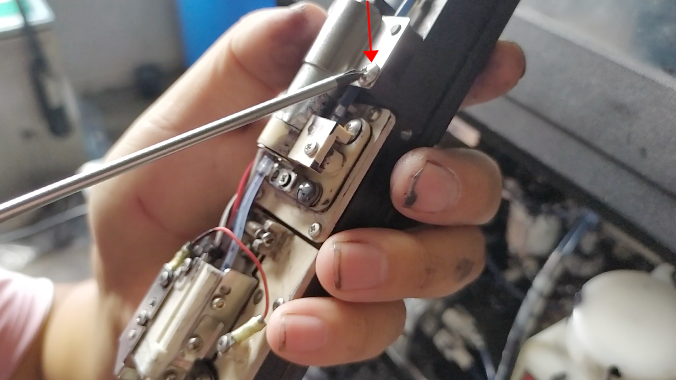
Then remove the fixing piece:
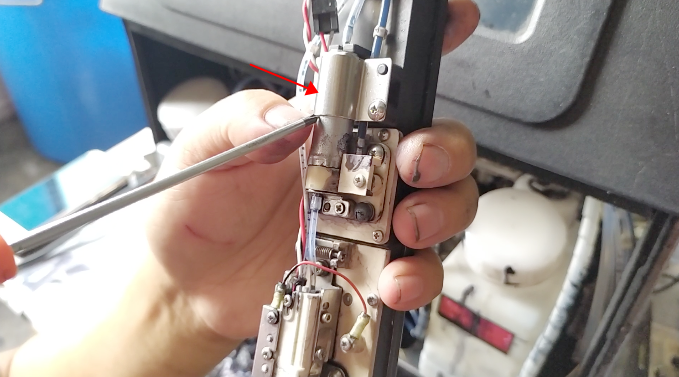
After removing it, we loosen the screw:
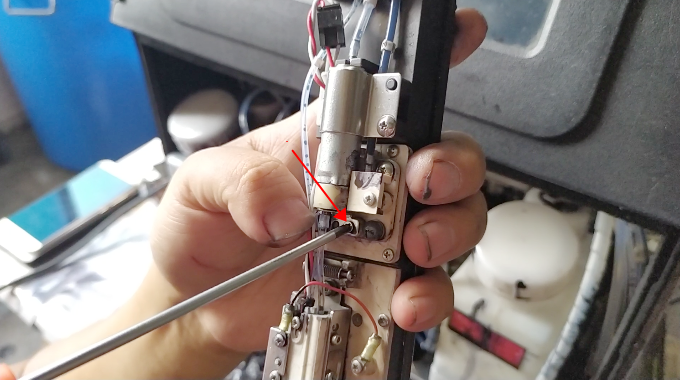
When the screw is loose, the fixing piece can also be removed:
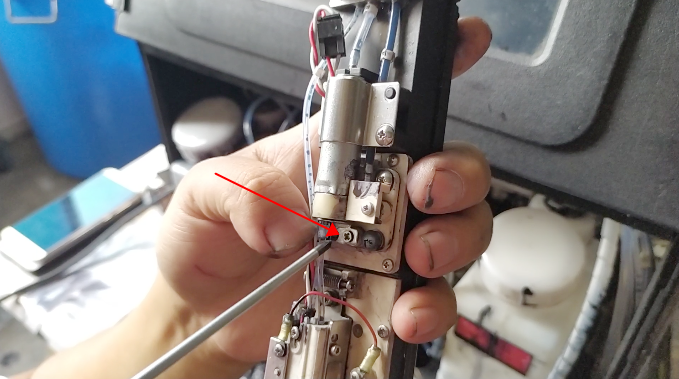
After taking it off, this one goes straight away:
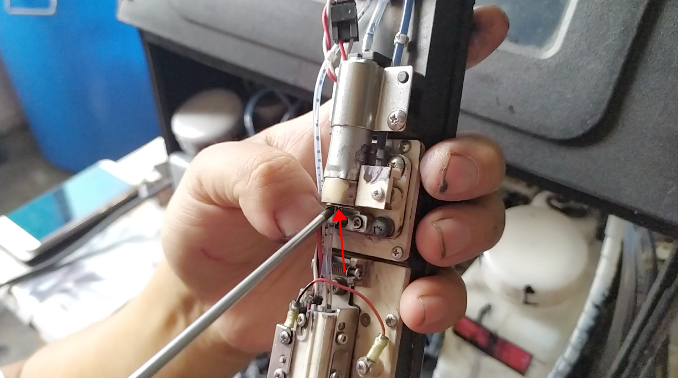
After it falls, then there’s a hole in it, and there’s a small filter inside that can be removed and washed with ultrasound:
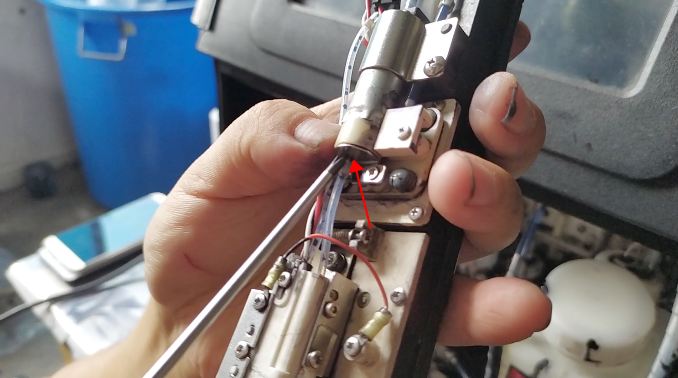
This is how the filter is removed.
When there is no pressure, there may be a problem with this filter, the filter may be blocked, we can remove it, and then wash it again to take a look.
